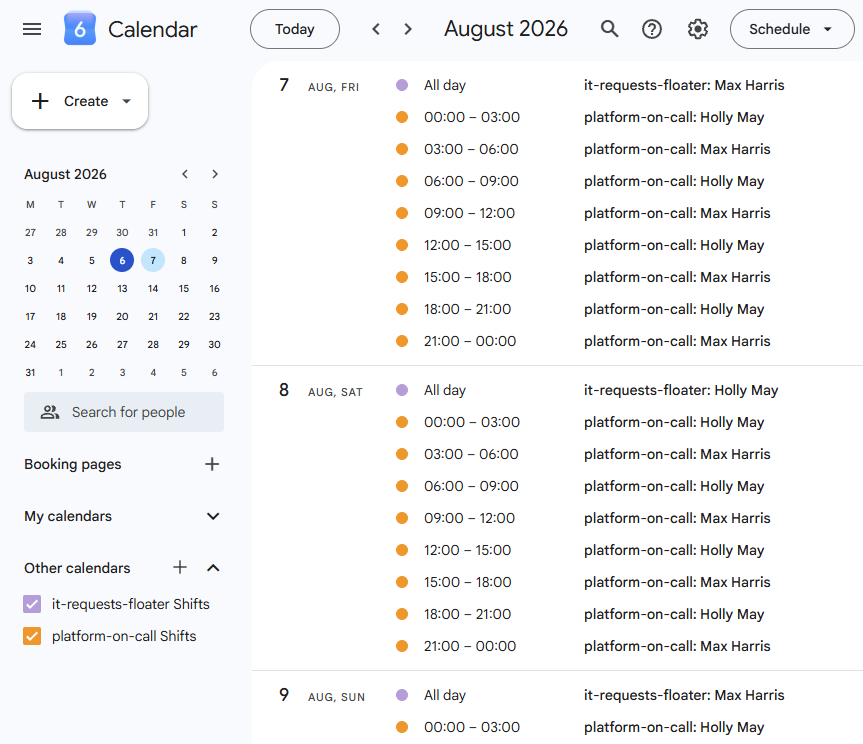
Set a schedule once and Floater takes it from there - rotating who's on call, keeping a real @usergroup pointed at the right person, and handling everything from a menu on your Home tab. No spreadsheets, no separate dashboard to log into.

14-day free trial ยท No credit card required ยท Charged per rotation, not per seat

See Floater running inside the Slack surfaces your team already uses - no dashboard required.
Marcus Webb 9:02
Checkout is throwing 500s for about 5% of requests.
Sofia Alvarez 9:03
I'm mid-deploy on another service, can't jump on this.
Devon Ray 9:04
Who's on call for this?
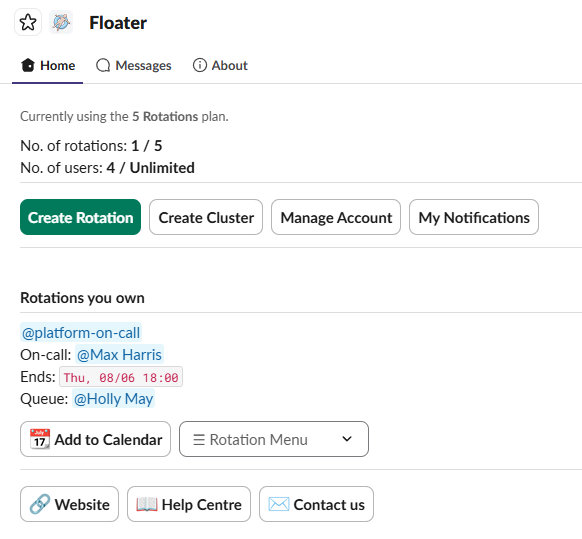
Home tab ยท Rotations you own
@platform-oncall
On-call: @Holly May - Ends: Fri 09:00
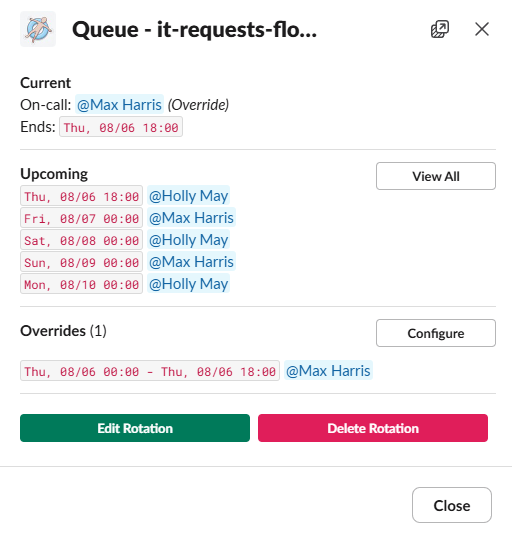
Upcoming
View AllOverrides (1)
Configure
Floater APP
@platform-oncall: You're on call now until Fri 09:00
@support-floater: Next on call Sat 09:00
John Allan 8:53
Morning ๐
Keeley Hassell 8:58
Hey team!
Floater APP 9:00
๐ On-call update: @Holly May is now on-call for @platform-oncall until Fri 09:00.
Holly May 9:03
Good morning โ๏ธ
Everything your team needs to run on-call rotations without leaving Slack.
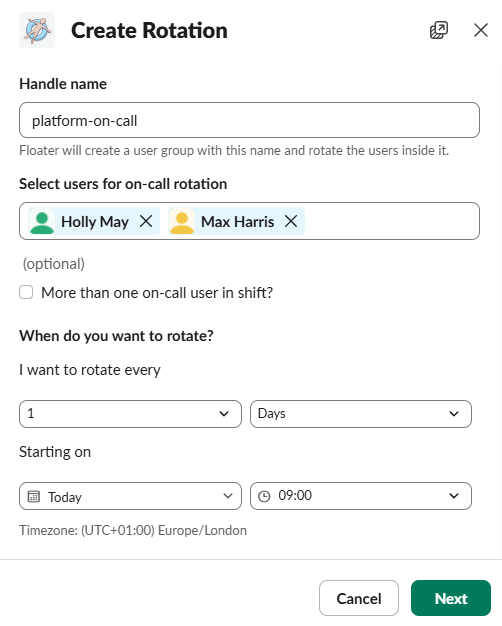
Hourly, daily, weekly, or monthly - with any number of people and any rotation size per shift. Set it up once and it keeps running.
Floater keeps an actual Slack user group - like @platform-oncall - pointed at whoever's on call, so @mentions always reach the right person automatically.
Someone's out sick or covering a colleague? Set a temporary override without disrupting the underlying schedule - it reverts automatically when the window ends.
Manage the queue, edit the schedule, customize the channel message, or change owners - all from a single dropdown next to each rotation. No separate dashboard to log into.
/floater shows who's on call across every rotation, /floater me shows your own upcoming shifts - no clicking through menus required.
Customizable channel announcements with dynamic variables, plus a personal toggle so individuals can turn off their own on-call DMs on fast-cycling rotations.
Straightforward pricing, with everything below included on every plan.
14-day free trial
No credit card required to start.
Unlimited users
Add as many people as you need to a rotation, at no extra cost.
Pay per rotation
Never per seat - team size never affects your bill.
Premium support
We're available 7 days a week for questions, support requests, or feature requests.
Can't find what you're looking for? Visit the Help Centre or get in touch.
Yes - each rotation is backed by a real Slack user group (like @platform-oncall), which Floater keeps pointed at whoever's currently on call. Slack's own @mentions just work, with no separate notification system to learn.
Yes - Slack's User Groups feature (which Floater relies on to keep @mentions accurate) is only available on paid Slack workspace plans. Floater itself works alongside whatever Slack plan you're already on.
Owners have full control over a rotation - editing its schedule, changing owners, and deleting it. Members are on the on-call roster and can manage day-to-day things like the queue and channel message, but can't change ownership, permissions, or delete the rotation.
Yes - each rotation's channel message is fully editable, with dynamic variables for the rotation name, the user group, and who's on call now, next, after next, or previously.
Floater automatically skips deactivated members when working out who's on call, so there's no silent gap in coverage. A warning shows up on the rotation until you tidy up the roster.
Every workspace gets 14 days free with unlimited rotations, no credit card required. After the trial, pick a plan that fits how many rotations you're running - team members are always unlimited.
Fourteen days free. Set up your first rotation in a couple of minutes, right from your Home tab.